Problem
A dog-friendly label does not explain whether a place fits a particular dog. Age, mobility, heat sensitivity and social comfort can change the choice.


Find outings that fit your dog’s needs.
Check shade and water, and plan playdates.
Start with your dog’s profile — the foundation of Pointer. Review the details and preferences that guide suitable places, routes, and everyday outings.
A dog-friendly label does not explain whether a place fits a particular dog. Age, mobility, heat sensitivity and social comfort can change the choice.
Dog owners planning daily walks, gentler outings for older dogs, or opportunities to meet other dogs and arrange playdates.
Connect the dog’s profile with suitable places and routes, clear amenity information, and optional social encounters.
Help owners make informed choices before leaving: understand the fit, check shade and water, and plan an outing around their dog.
The dog is the organizing idea: understand their needs, find a suitable place, check the conditions, then choose a route or arrange time to meet.
Start with age, needs, limitations and social preferences. This profile gives the rest of the journey its context.
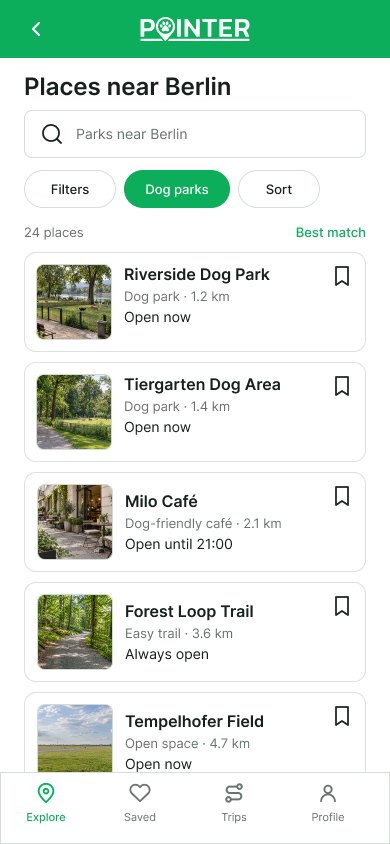
Browse nearby places and routes. Use dog-relevant filters to narrow the choice rather than scan every result.
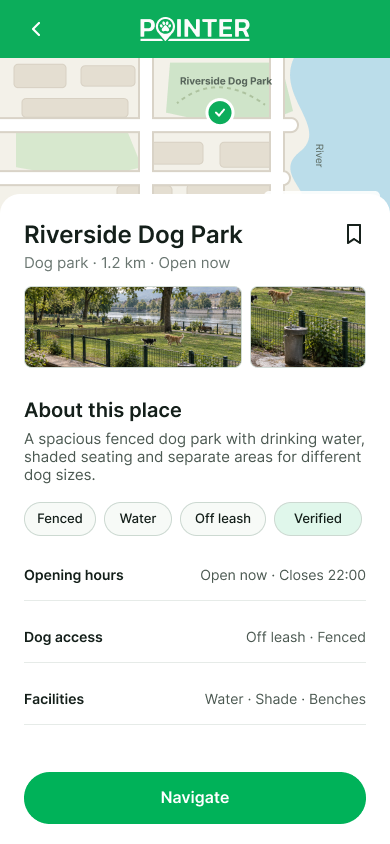
Review terrain, shade, drinking water, rest areas and access rules. Consider a gentler route for an older dog.
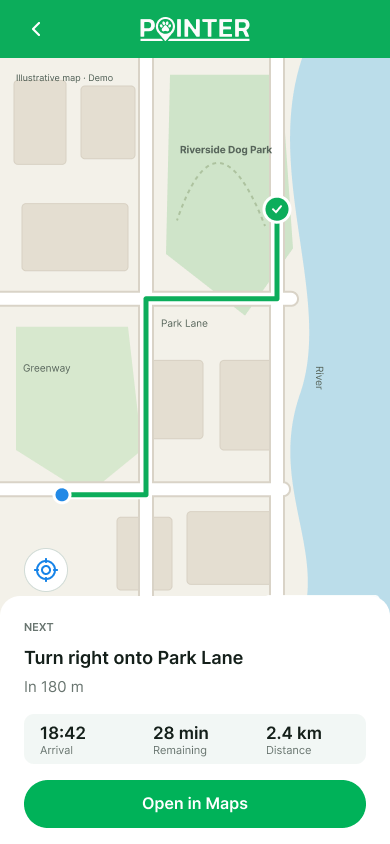
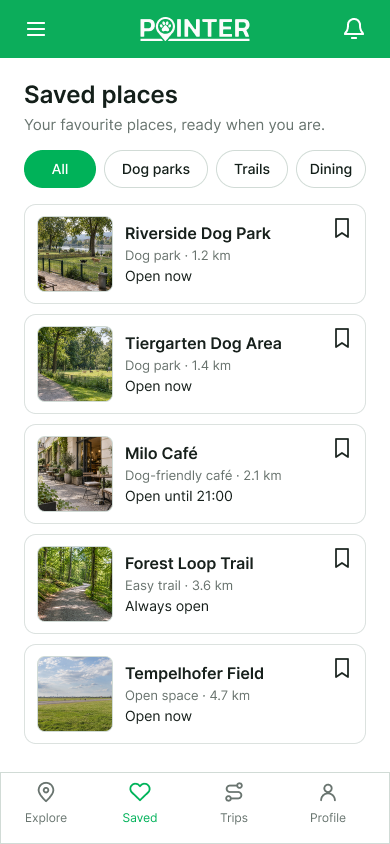
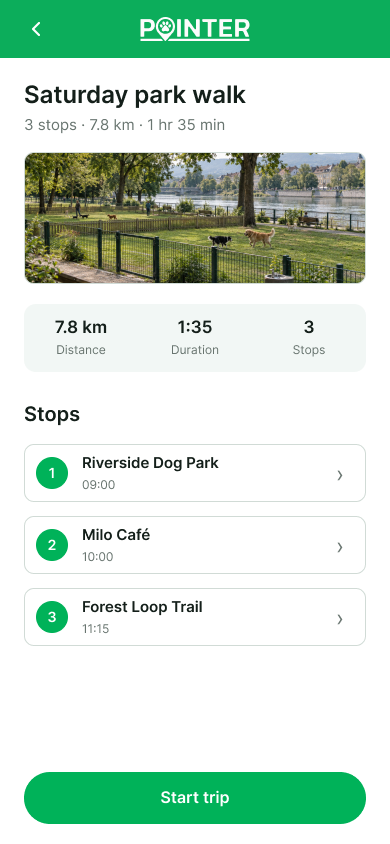
Save places, plan a route or explore a playdate. Social encounters stay optional for dogs who need more space.
Prototype screens showing discovery, practical place information and outing planning. Maps and data are illustrative.
A nature-led product direction with clear text, practical controls and visible information about the dog’s needs.
Forest green anchors the current app direction. Supporting colors separate navigation, useful amenities and caution states. The prototype screens above represent an earlier visual iteration.
Clear headings, short labels and readable body text keep practical details easy to scan.
The product type scale uses 20px titles, 16px semibold subheadings and 15px body text. Rounded cards, filter chips and clear primary actions support a consistent journey.
These decisions describe the concept’s intended behavior. They are design hypotheses to validate with dog owners.
Age, mobility limitations, heat sensitivity and social preferences inform the product direction. The profile is a foundation for filtering, not an optional account detail.
Shade, water, fencing, benches and terrain help owners compare destinations. Missing or unverified information should remain visible rather than imply certainty.
Older dogs may need shorter, easier routes and places to pause. Surface those conditions so the owner can judge suitability for their dog.
Meeting other dogs and arranging shared walks extends the experience beyond finding a location. Social comfort and quieter alternatives remain part of the dog-first approach.
I built Pointer from zero as a self-initiated concept, using ChatGPT and Claude to develop the product flow, UX/UI and visual direction. The result connects dog-first discovery, practical place information, outing planning and a direction for social encounters.
Pointer is not a launched product. The next step is to test how owners describe their dog’s limitations, which place details affect their decisions, and what makes a playdate feel comfortable. Real feedback should shape the next iteration.
End-to-end product concept, UX/UI and visual design · Prototype exploration · No user-test results claimed.